The Best AI Tools for Beginners: A Simple Guide to Getting Started (Without Feeling Overwhelmed)
If hearing about artificial intelligence makes you imagine complicated code, data science degrees, or science-fiction robots, you are not alone. With thousands of new platforms launching every month, it is easy to feel left behind before you even begin.
Here is the good news: using modern AI doesn’t require technical wizardry. In fact, if you know how to send a text message or type a search query into Google, you already have every skill you need.
In this guide, you will discover the best AI tools for beginners, how they work in everyday life, and simple ways to start using them right away without spending a single dollar.

What Makes an AI Tool “Beginner-Friendly”?
Before jumping into recommendations, it helps to understand what separates an approachable app from a frustrating headache. When choosing free AI tools for beginners, focus on three non-negotiable qualities:
- A Familiar, Clutter-Free Interface: The platform should look intuitive—like a chat window, a clean word processor, or an everyday search bar. You shouldn’t have to navigate a maze of technical settings just to get an answer.
- A Generous Free Tier: You should never have to pull out a credit card just to test basic features. Solid tools offer real everyday value right out of the box.
- Zero Coding Required: The software must operate on natural language. You type plain English prompts, and the tool delivers clear results.
Keeping these standards in mind, here are five proven platforms that make exploring AI for everyday use simple and stress-free.
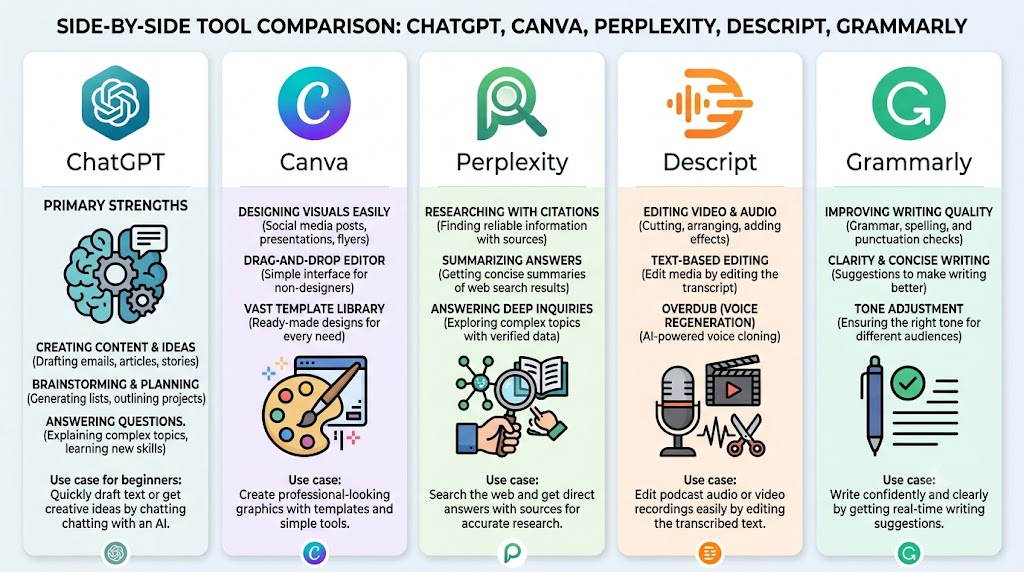
5 Easy AI Tools Every Beginner Should Try
1. ChatGPT or Google Gemini (Best for Everyday Writing & Brainstorming)
What it does best: Acts as an adaptable conversational assistant that drafts text, breaks down complex topics, and brainstorms ideas on demand.
Why it’s great for beginners: There is virtually no learning curve. You open a chat window, type a question or request as if you were messaging a colleague, and receive a well-structured answer in seconds. Both platforms understand context, meaning you can follow up with questions like “Make that shorter” or “Explain that like I’m twelve.”
- Starter Use Case: Planning a weekly menu. Try prompting: “Create a budget-friendly, 5-day dinner meal plan using chicken, rice, and fresh vegetables, along with an organized grocery shopping list.”
- Free Plan Limitations: Free versions may run into message caps during peak usage hours and occasionally limit access to their most advanced flagship reasoning models.
2. Canva Magic Studio (Best for Visuals & Social Graphics)
What it does best: Generates custom social media graphics, flyers, presentation decks, and layouts using simple descriptive phrases.
Why it’s great for beginners: Traditional graphic design software requires hours of tutorial watching. Canva eliminates that barrier by combining an intuitive drag-and-drop editor with AI-powered features that automatically resize elements, remove photo backgrounds, or generate slide designs from a prompt.
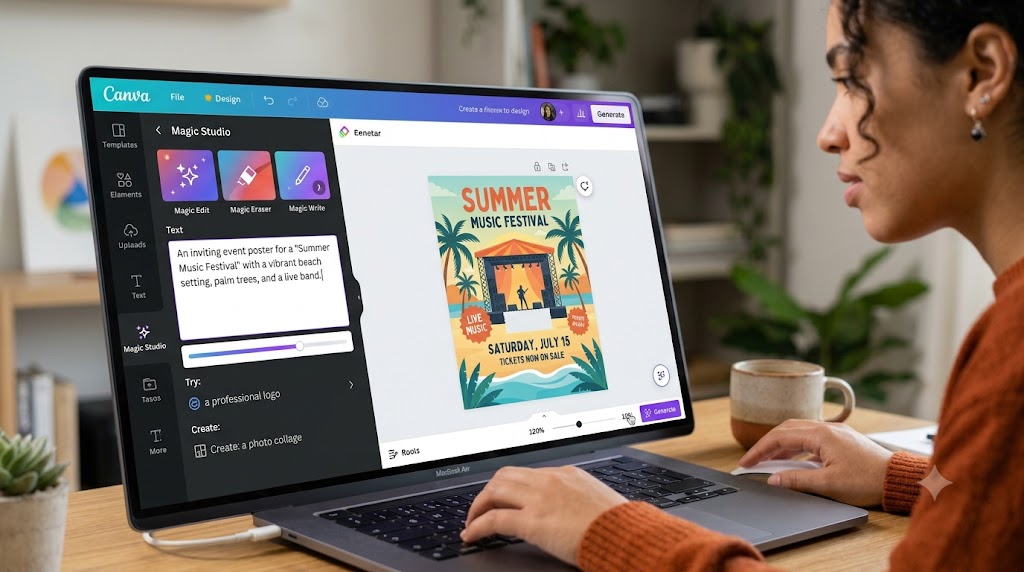
- Starter Use Case: Designing an event flyer. Open Canva, type “Modern flyer for a neighborhood community bake sale,” and let the AI suggest templates complete with typography and placeholder graphics ready for your details.
- Free Plan Limitations: While the core design library is free, certain premium Magic Studio features—like one-click background removal and infinite AI image generations—require a Canva Pro subscription.
3. Perplexity AI (Best for Research & Search Replacement)
What it does best: Delivers clear, conversational answers to complex questions, backed by direct source citations from live web pages.
Why it’s great for beginners: Standard search engines often bury genuine information beneath pages of sponsored ads and SEO fluff. Perplexity scans the web, synthesizes the findings into a concise overview, and lists clickable footnotes so you can verify where every fact originated.
- Starter Use Case: Comparing products before buying. Search: “What are the key differences between induction and gas cooktops regarding energy efficiency, maintenance, and upfront cost?”
- Free Plan Limitations: The standard search is free and fast, but advanced “Pro” searches (which perform deep, multi-step queries across academic and specialized databases) are capped at a handful per day.
4. Descript (Best for Audio, Video, and Meeting Notes)
What it does best: Transcribes spoken audio and video recordings into editable text documents, making media editing as simple as editing a Google Doc.
Why it’s great for beginners: Video and podcast editing normally involves managing complicated multi-track timelines. With Descript, you simply highlight and delete a sentence in your written transcript, and the corresponding video or audio snippet disappears automatically. It can even detect and remove filler words like “um” and “uh” with a single click.
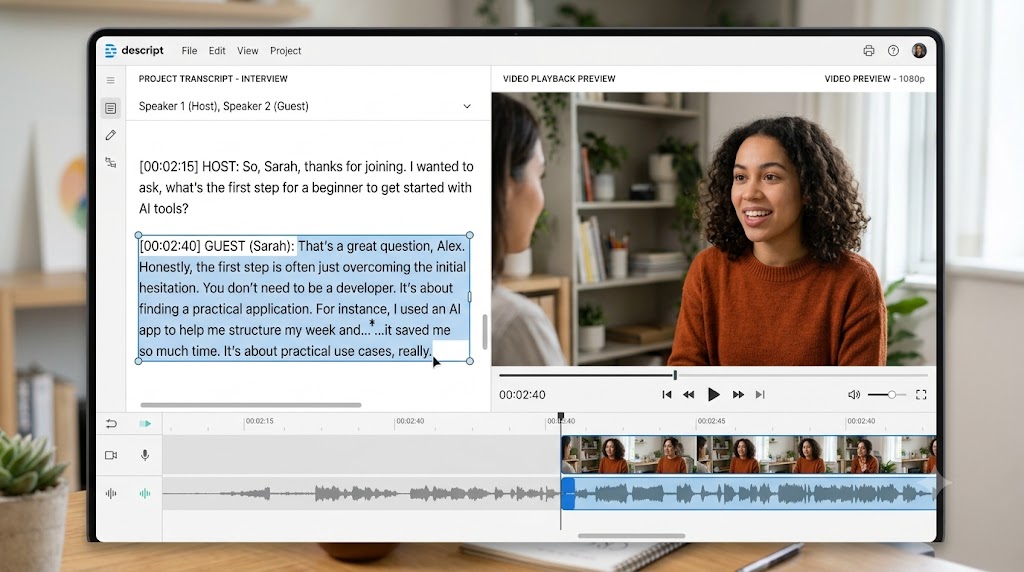
- Starter Use Case: Polishing an interview or presentation. Upload a 5-minute video or class recording, click “Remove Filler Words,” and export a clean, cohesive cut in minutes.
- Free Plan Limitations: The free account includes 1 hour of monthly transcription and basic video export resolutions, which is plenty for casual projects but restrictive for regular podcasters.
5. Grammarly (Best for Editing & Professional Polish)
What it does best: Refines your spelling, punctuation, sentence structure, and tone across your browser, emails, and favorite writing apps.
Why it’s great for beginners: Rather than acting like a cold red pen, Grammarly works quietly in the background where you already write. Its AI features suggest alternative phrasings, adjust tone from casual to professional, and identify sentences that might confuse your reader.
- Starter Use Case: Refining an important message. Paste a draft email into your document and use the prompt: “Rewrite this request to sound polite, confident, and concise for my manager.”
- Free Plan Limitations: Basic grammar and spell-checking are completely free, but advanced tone adjustments, deep vocabulary suggestions, and higher monthly AI prompt allowances belong to the paid tier.
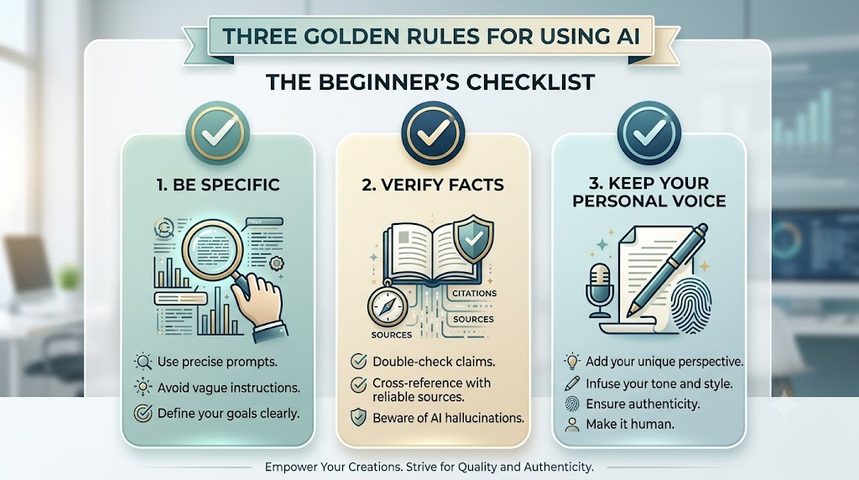
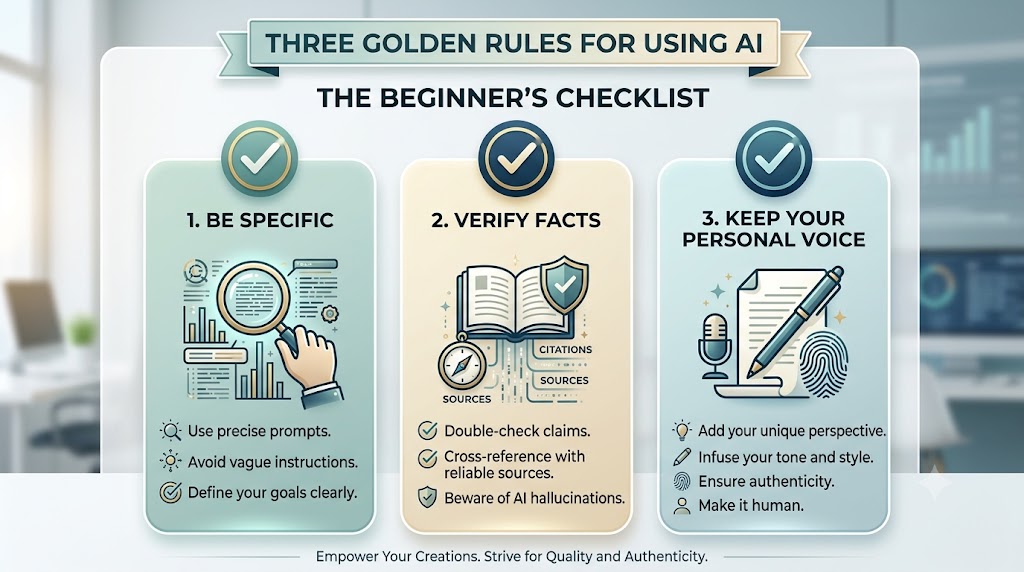
3 Golden Rules for Beginners Using AI
Learning how to start using AI successfully comes down to building a few healthy habits:
- Be Specific With Your Requests: AI models thrive on context. Instead of asking, “Help me write an email,” specify your intent: “Write a 3-paragraph email to a client explaining that our project delivery date is moving back two days due to shipping delays. Keep the tone apologetic but professional.”
- Verify Important Facts: Generative models can occasionally produce believable yet inaccurate information—a quirk known as a “hallucination.” Never publish statistics, legal advice, or technical claims without cross-checking the primary source.
- Treat AI as an Assistant, Not Your Ghostwriter: The strongest writing combines the speed of AI with your genuine personal experience and voice. Use these platforms to outline, brainstorm, and edit, but ensure the final decisions and personality remain entirely your own.
Ready to Take Your First Step?
Getting started with artificial intelligence does not require a complete lifestyle overhaul or hours of study. Pick one repetitive task from your day—whether that is drafting a tricky email, planning your weekend dinners, or outlining a presentation—and let an assistant handle the heavy lifting.
Which tool from this list will you test first? Pick one, run your first test prompt, and see how much time you save.